Now Reading: Setting Up Multichannel Customer Support Automation with AI Chatbots
-
01
Setting Up Multichannel Customer Support Automation with AI Chatbots

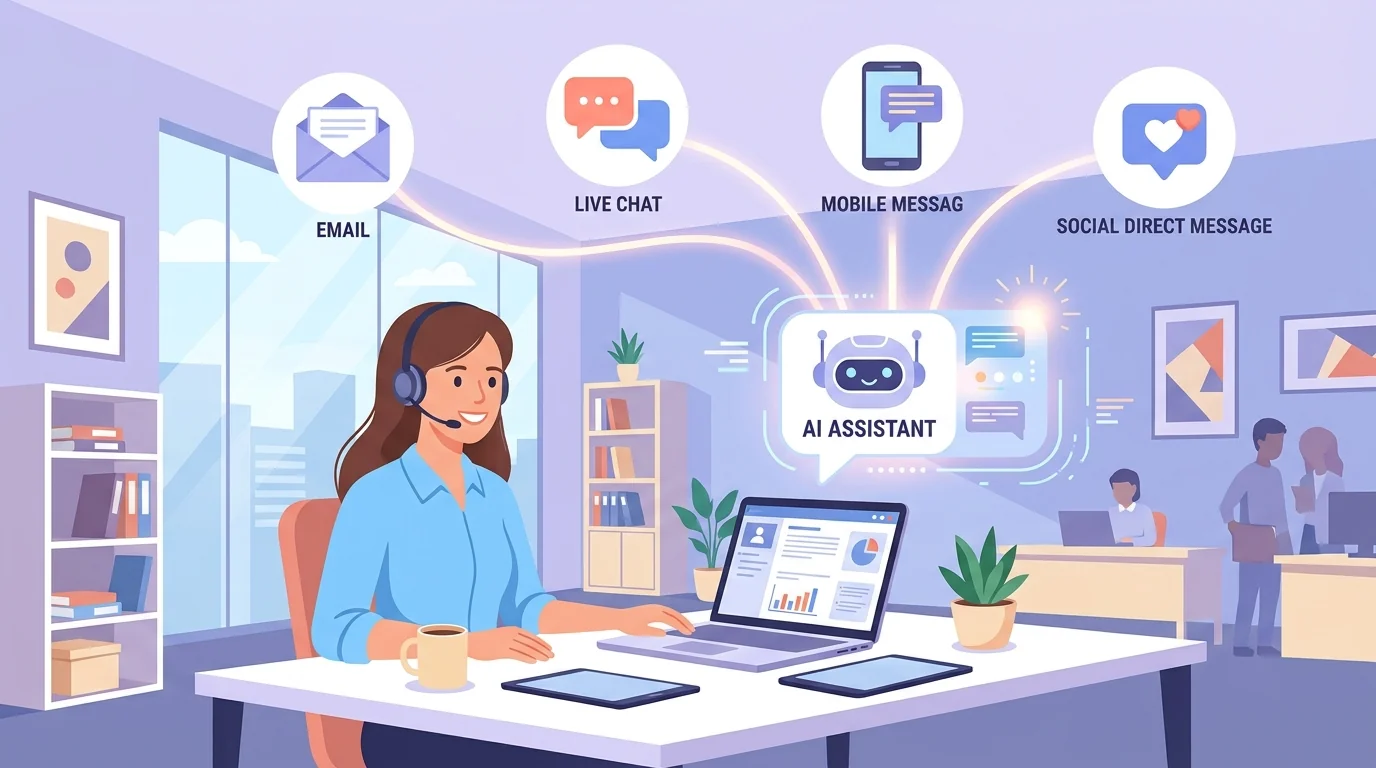
Early in my business career, I made the mistake of treating every communication channel like its own private island. We had one person checking our website chat widget, someone else monitoring support emails, and social media direct messages sitting unanswered for days at a time. The real disaster struck when an unhappy customer messaged us on WhatsApp, followed up via email an hour later, and then opened a website live chat. Three different team members gave three completely contradictory answers. That painful breakdown pushed us to implement multichannel customer support automation with ai chatbots to unify our customer conversations once and for all.
Key Takeaways
Core fundamentals for deploying a cohesive multichannel AI support system:
- Centralize your knowledge base into a single source of truth so your AI speaks with one consistent voice across every platform.
- Implement unified identity resolution to link phone numbers, email addresses, and social handles into one continuous customer profile.
- Tailor message formatting to the channel: keep WhatsApp and SMS replies brief, while offering thorough, formatted breakdowns in email.
- Coordinate your multichannel communication pipelines through resources on Xan Digital to turn support touchpoints into long-term brand equity.
- Use message deduplication locks to prevent multiple automated drafts from firing simultaneously when a user cross-posts an inquiry.
The Fragmentation Nightmare of Modern Support
Modern consumers do not think in terms of support departments or communication silos. They reach out through whatever app is open on their phone. A customer might discover your product on Instagram, ask a pre-sales question in direct messages, purchase on your website, and then send an email when they cannot locate their receipt.
When your support technology is fragmented, the customer experience crumbles. According to the HubSpot State of Customer Service report, over seventy-five percent of buyers expect consistent, synchronized interactions across mobile messaging, live chat, and email. When forced to repeat their background details across different channels, customer frustration spikes by more than sixty percent.
Deploying standalone bots on each individual platform only worsens the mess. A WhatsApp bot that knows nothing about an email sent ten minutes earlier will give repetitive, robotic responses. Real multichannel automation requires a central AI brain connected to multiple distributed spokes.
Mapping the Core Channels in Your Support Stack
Before writing code or configuring webhooks, map out the primary channels your customers actually use. Spreading yourself too thin across six platforms on day one is a recipe for maintenance fatigue. Focus on the core quartet:
1. Website Live Chat (The Fast Lane)
Your website chat widget captures high-intent visitors and active logged-in users. Speed is everything here. The bot should answer simple navigation and technical setup questions in under three seconds, pulling directly from verified documentation by training an AI support chatbot on company knowledge.
2. Email Inboxes (The Thorough Lane)
Email remains the workhorse for detailed inquiries, invoicing issues, and formal requests. Here, your AI should function in drafting mode or automated triage, reading incoming threads, categorizing urgency, and drafting comprehensive responses for human agent sign-off or instant dispatch on routine topics.
3. WhatsApp and Mobile Messaging (The Personal Lane)
In Europe, Latin America, and Asia, WhatsApp is the default communication method. Integrating with the Meta WhatsApp Business Platform documentation allows your chatbot to send order updates, answer product questions, and provide interactive quick-reply buttons right in the user pocket.
4. Social Direct Messages (The Front Door)
Social media DMs on Instagram and Facebook are often the first place prospects ask questions before buying. Your bot must handle casual inquiries with warmth, provide product links, and capture email addresses to link the social interaction to your CRM.
Solving Identity Resolution Across Channels
The biggest technical hurdle in multichannel automation is figuring out that “user_987” on your website chat is the exact same person as “+1-555-0199” on WhatsApp and “[email protected]” in your email queue. Without identity resolution, your AI cannot maintain context.
To solve this, implement a centralized Customer Data Platform (CDP) or helpdesk identity matching service. When a user chats on WhatsApp, have the bot request their registered email address during their first account-related query: “To pull up your order history, what email address did you use when placing the order?”
Once the customer inputs their email, send a temporary one-time password or validation link. When confirmed, your database binds their WhatsApp phone ID to their main user profile. From that second forward, whether they write on WhatsApp, email support, or log into your web app, the AI sees one unified customer profile with all previous chat transcripts attached.
Adapting Voice and Format to Channel Norms
A fatal mistake in multichannel deployments is treating all communication mediums the same way. If your bot sends a four-paragraph essay with bulleted links on WhatsApp, the user will find it obnoxious. Conversely, if your bot replies to a formal email with a two-sentence text message, the customer will feel dismissed.
Your prompt orchestration layer must dynamically adjust formatting based on the incoming channel tag:
- For Instant Messaging (WhatsApp, SMS, Live Chat): Enforce maximum character limits. Deliver answers in two to three punchy sentences. Use quick-reply interactive buttons rather than asking open-ended questions.
- For Email: Include polite greetings, clear paragraph breaks, bulleted steps, and structured email signatures. Provide complete answers that eliminate the need for another email exchange.
- For Social DMs: Keep the tone friendly, accessible, and concise, incorporating emojis moderately where appropriate to match the platform culture.
Preventing Ticket Collisions and Duplication
What happens when an impatient customer sends an email, immediately opens a live chat, and posts a direct message on Instagram five minutes later? If three different automated responses fire, the customer receives conflicting messages, and your analytics record three separate incidents for one problem.
To prevent this chaos, implement a cross-channel event lock. When an inquiry is received from a recognized customer ID, check the global conversation database for active sessions opened within the past two hours.
If an active thread exists, the secondary channel should acknowledge the ongoing conversation: “I see you also sent an email regarding your billing update earlier. I have merged this message into your open ticket so our team has all your details in one place.” This prevents ticket duplication and reassures the customer that their issue is moving forward.
Ensuring Safe Handoffs Across Distributed Platforms
Managing escalations across four platforms requires tight orchestration. If a customer gets frustrated on WhatsApp, you cannot tell them to go open a ticket on your website. The handoff must happen within the exact app where the customer is chatting.
Following proven AI chatbot human handoff best practices, the bot should transition the session to a human agent directly within WhatsApp or live chat, transferring the conversation transcript into the unified agent console. To ensure the bot does not interrupt or interfere once the human rep joins the conversation, your architecture must enforce reliable AI chatbot guardrails that mute automated responses until the ticket is officially closed.
Handling Media Attachments and Voice Notes
One major distinction between web live chat and mobile messaging channels is the type of media customers submit. On WhatsApp and Instagram, customers rarely write clean, structured error descriptions. Instead, they snap a shaky smartphone photo of a broken device, upload a screenshot with an error dialog, or send a thirty-second audio voice note describing their problem.
If your multichannel chatbot only accepts plain ASCII text, it will repeatedly fail when users send images or voice files. To build a truly resilient system, configure multimodal processing pipes in your backend. When an image arrives, route it through an optical character recognition (OCR) or visual language model to extract the error text. When an audio file is uploaded, trigger a fast transcription model to convert speech into text before feeding the query into your knowledge base.
By handling multimedia inputs gracefully, your automated assistant feels genuinely capable to users on mobile devices, removing the friction of manual typing and meeting customers on their own terms.
A Phased Rollout Blueprint for Multichannel Success
Do not attempt to launch multichannel automation all at once. Follow this phased progression to keep your team in control:
Phase 1: Web Live Chat Perfection. Deploy your chatbot on your web application first. Clean your documentation, optimize prompt boundaries, and ensure your human escalation pipeline is flawless.
Phase 2: Email Draft Assistance. Connect your AI to your email inbox in draft mode. Let the AI write suggested responses that your human agents review and send with one click. This validates accuracy without risking automated email misfires.
Phase 3: Messaging and Social Integration. Connect your WhatsApp API and social channels. Introduce identity resolution so conversations on mobile sync seamlessly with your website database.
Frequently Asked Questions
What is the difference between multichannel and omnichannel customer support?
Multichannel support offers multiple distinct contact methods, while omnichannel support synchronizes those channels so customer identity and conversation history persist seamlessly across all touchpoints.
How do you handle customer identity resolution across WhatsApp, email, and web chat?
Use a centralized customer database keyed to email addresses or phone numbers, linking social handles and browser sessions via identity matching APIs whenever an authenticated event occurs.
Should an AI chatbot use the exact same response length on WhatsApp as on email?
No, response formats should adapt to channel norms; WhatsApp and live chat require short, punchy paragraphs with quick action buttons, while email responses can be more comprehensive and detailed.
How do you stop an AI chatbot from sending duplicate replies across multiple channels?
Maintain a unified message queue with deduplication locks that check whether a conversation thread on the same inquiry is already active before firing automated responses.
Unifying your support channels with an intelligent AI chatbot creates a smooth, dependable experience that meets your customers wherever they choose to connect.