Now Reading: How to Cut Support Ticket Volume in Half Using AI Chatbots
-
01
How to Cut Support Ticket Volume in Half Using AI Chatbots


There was a point last summer where my inbox felt like an avalanche. Our customer base had doubled in three months, but our support budget hadn’t. Every single day, my team answered the exact same questions dozens of times: “Where is my tracking number?” “How do I reset my password?” and “Can I get an invoice copy?” We were burning out fast, and hiring three new reps was simply not in the cards. That was when I decided to get serious about learning how to reduce support tickets with ai chatbots without turning our support into an impersonal brick wall. Here is what actually worked.
Key Takeaways
Practical rules to cut incoming support volume while keeping users happy:
- Focus on deflecting repetitive tier-1 transactional and informational queries, leaving complex technical cases for human specialists.
- Integrate your bot directly with your backend database so it can deliver actual results (like tracking links) instead of just linking to help articles.
- Measure both deflection rate and Customer Satisfaction (CSAT) together to ensure you aren’t deflecting tickets by frustrating users away.
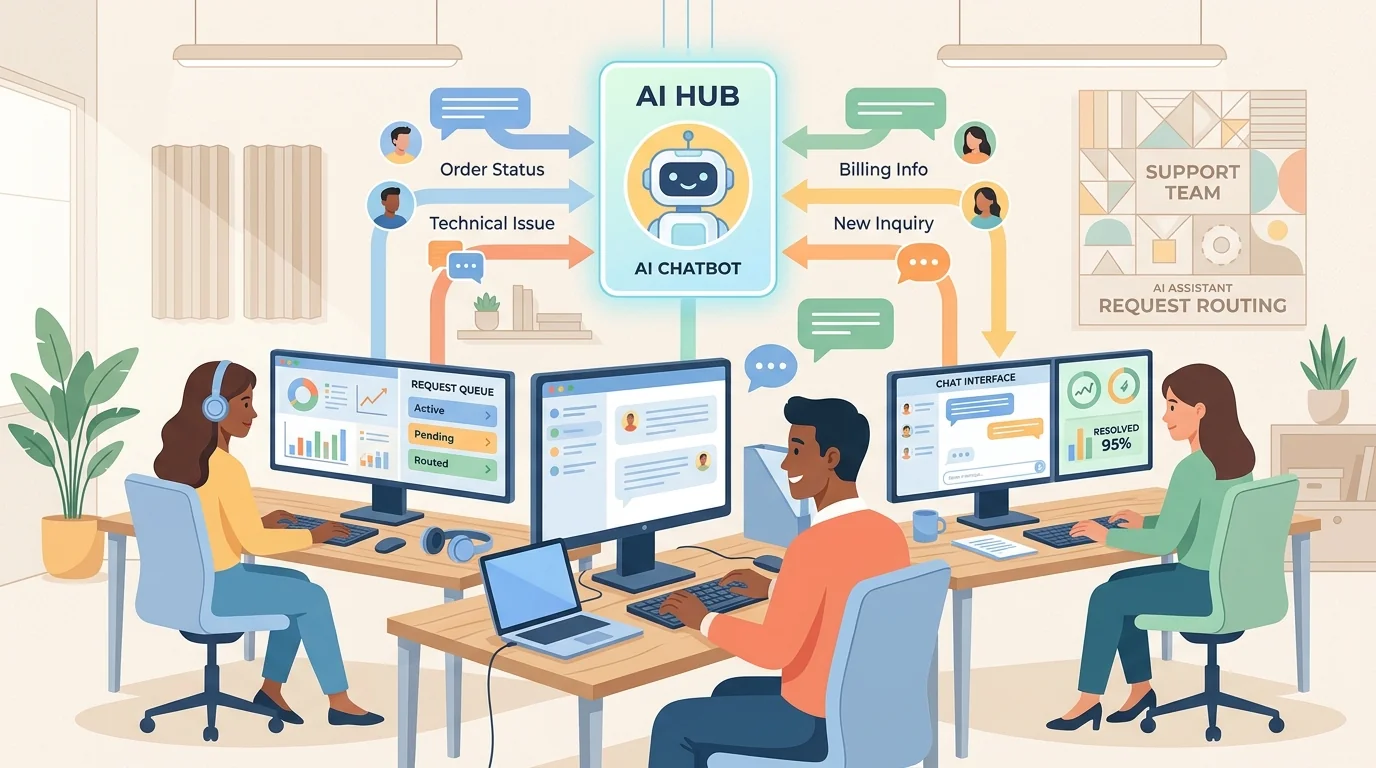
- Combine deflection with smart AI chatbot customer support intent routing so tickets that do need human attention reach the right agent on the first try.
- Explore modern automation frameworks on Xan Digital to keep your operational stack lean and scalable.
The Difference Between Real Deflection and User Abandonment
Before touching any tools, we need to address the elephant in the room. Many companies claim a 70% deflection rate, but when you look closer, customers simply gave up in frustration and left. That is not deflection; that is customer churn disguised as an operational win.
True deflection happens when a customer has an issue, interacts with an automated assistant, gets their answer or action completed within ninety seconds, and walks away completely satisfied without ever needing a human agent. The problem is solved, not brushed under the rug.
To avoid false deflection metrics, I monitor what I call the 48-Hour Rebound Rate. If a customer chats with the bot and closes the window, but then sends an email about the same issue within 48 hours, that conversation counts as a failed interaction, not a deflection. Keeping this honest metric prevented us from optimizing for the wrong outcomes.
Finding the Low-Hanging Fruit: The 80/20 Rule of Support
You should never try to automate everything at once. When I looked closely at our ticket logs, about 15 specific questions generated over 65% of our total weekly volume. I call these Tier-1 transactional and repetitive queries.
Tier-1 Candidates for Immediate Automation
These are queries where the answer is standard, deterministic, and can be retrieved directly from structured data or clear documentation:
- Order and shipment tracking: “Where is order #8492?”
- Billing and receipts: “I need a PDF copy of my last receipt.”
- Account security basics: “How do I turn on two-factor authentication?”
- Policy definitions: “What is your return window for international orders?”
- Service status checks: “Is the European server cluster currently experiencing downtime?”
When customers ask these questions, they don’t want a warm conversation with a human. They want the information immediately. Waiting two hours for an email reply just to receive a tracking link is a terrible user experience. Giving it to them in four seconds via an AI bot makes them happier while saving your team dozens of hours.
Connecting the Bot to Actionable Backend APIs
Here is where most implementations stumble: they treat the chatbot as a glorified FAQ reader. A bot that says “Here is an article about how tracking numbers work” is far less helpful than a bot that says “Your package was scanned at the regional depot this morning and is scheduled for delivery tomorrow by 3 PM.”
To deliver real utility, we connected our chatbot directly to our backend database through secure API webhooks. We set up authenticated function calls for three common actions:
1. Identity Verification
If the customer is already logged into their dashboard, the chat widget passes an authenticated session token. The bot immediately greets them by name and knows their active subscription tier and recent orders. No need to ask “What is your email address?” five times.
2. Instant Read-Only Actions
We allow the bot to query tracking statuses, generate secure one-time download links for invoices, and check remaining license usage. Because these actions are read-only, there is zero risk of the AI corrupting customer records.
3. Safe Parameterized Mutations
For actions that modify data – such as pausing a subscription or updating a shipping address – we implement strict confirmation dialogues. The bot summarizes the exact action and requires an explicit button click: “Yes, pause my subscription until next month.” This eliminates ambiguity and prevents unintended changes.
4. Preserving Context Across Conversational Handoffs
Nothing irritates a customer more than explaining their entire dilemma to a bot, only for a human agent to join the chat and immediately ask: “So, how can I help you today?” It makes the customer feel completely ignored and wastes valuable minutes.
To fix this, our pipeline generates an automated three-bullet summary the moment an escalation trigger fires. When the human agent accepts the incoming ticket in their dashboard, they see the customer’s authenticated account details, the primary issue summarized in one sentence, and the exact steps the bot already attempted. The human picks up right where the machine left off, greeting the user with context: “I see the invoice download link failed on your browser; let me email the PDF directly to your verified inbox.” That single design tweak transformed our customer feedback overnight.
To ensure your bot answers questions accurately from your documentation without hallucinating false policies, read our deep-dive on training an AI support chatbot on your internal knowledge base.
Designing Conversational Guardrails
One of my biggest fears when launching our bot was hallucination. Imagine an AI promising a customer a 50% discount that does not exist, or giving incorrect technical instructions that break their configuration. Guardrails are your insurance policy.
We implemented three specific constraints in the system prompt:
- Grounding Mandate: “Answer questions using ONLY the provided context snippets. If the answer cannot be found in the documentation, explicitly state that you do not know and offer human assistance.”
- No Promotional Commitments: The bot is strictly forbidden from quoting custom pricing, offering discounts, or committing to custom contract terms.
- Immediate Sentiment Escape: If customer tone turns combative or stressed, the bot does not attempt to argue or defend policies. It provides a courteous apology and transfers to an agent with the conversation log pre-packaged.
According to customer support research published by Harvard Business Review, customers care far more about the resolution of their problem than whether the problem was solved by a machine or a human, provided the solution was accurate and low-effort.
The Human-in-the-Loop Feedback Loop
Automation does not eliminate the need for human insight; it sharpens it. Instead of spending their days answering basic questions, my support team transitioned into quality reviewers and knowledge curators.
Every week, our senior agents review a random sample of fifty automated conversations. They rate the responses: Did the bot answer correctly? Was the tone appropriate? Did the customer have to ask twice? If a gap is spotted – say, a new error code that wasn’t in our docs – an agent drafts a concise help article. The bot absorbs it overnight, and that problem never needs human attention again.
For teams managing high-volume communication across multiple channels, having reliable delivery systems is essential. Review our overview of the best email marketing tools for high deliverability to make sure your automated transactional emails hit the inbox reliably.
Real-World Results After 90 Days
Three months after launching our AI support assistant, here is what our numbers looked like compared to the previous quarter:
- Total Inbound Human Tickets: Dropped by 48.7%, from roughly 2,400 tickets a month down to 1,230.
- Median First Response Time: Plummeted from 2 hours and 15 minutes down to 18 seconds across all channels.
- Tier-2 Ticket Resolution Time: Decreased by 34% because human specialists were no longer distracted by basic password reset requests.
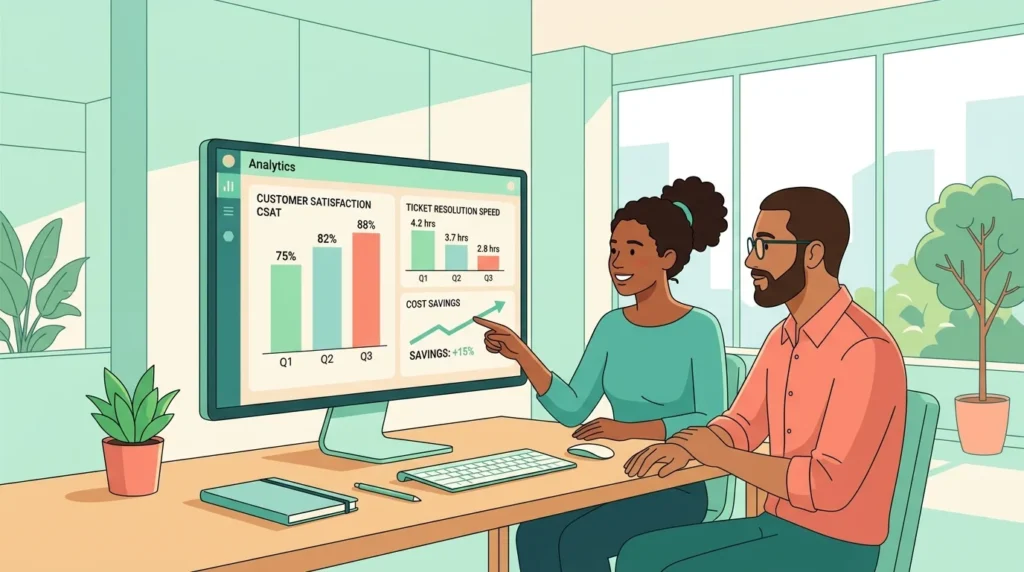
- Overall CSAT: Rose from 88% to 94%, primarily driven by instant answers for evening and weekend queries.
Industry research from Gartner Customer Service Insights confirms that organizations deploying grounded AI for routine support inquiries free up to 40% of their operational budget for proactive customer success initiatives.
Frequently Asked Questions
Will implementing an AI chatbot make my brand feel cold and uncaring?
Not if you design it with respect for your customers’ time. When someone has a quick question at midnight, getting an immediate, helpful answer feels responsive, not cold. The key is making human escalation effortless whenever someone wants to talk to a person.
What is a realistic ticket deflection percentage to aim for?
A realistic and healthy target for most software and digital product companies is 35% to 50% deflection of Tier-1 inquiries. Aiming for 90% or higher usually leads to overly aggressive bot filters that frustrate legitimate customers.
How long does it take to see measurable ticket reductions?
You can see measurable reductions within the first two weeks if you start by automating your top three most frequent inquiries, such as order status lookups or password resets. Full optimization usually takes 60 to 90 days as you refine your knowledge base.
Can AI chatbots handle multi-language customer support effectively?
Yes. Modern large language models naturally process and respond in dozens of languages. As long as your core knowledge base is well-structured in your primary language, the bot can accurately translate policies and answers on the fly for global users.
Cutting ticket volume isn’t about avoiding your customers. It is about removing the friction so your human team can focus on relationships, complex troubleshooting, and building products people genuinely love.